Pay in the merchant’s local currency, not your home currency. Dynamic currency conversion, the “Would you like to pay in USD instead?” prompt at checkout or the ATM almost always tacks on a markup beyond whatever your card issuer already charges. Decline it. If your card waives foreign transaction fees, this is the moment it pays for itself.
TL;DR:
- Declining dynamic currency conversion ensures you avoid inflated exchange rates set by the merchant or ATM, which are often worse than network rates.
- Using a no-foreign-transaction-fee card eliminates the 1% to 3% issuer fee on all international purchases, making it the most cost-effective option for foreign spending.
- Always choose local currency at checkout, verify the exchange rate and fees before confirming, and document the charge if you suspect hidden markups.
- Merchant and gateway configurations vary; sites with localized pricing and transparent currency handling typically offer better rates and fewer hidden fees.
- Paying in your home currency may only make sense for small purchases or when the displayed exchange rate is genuinely more favorable than DCC or issuer fees.
Table of Contents
- How Dynamic Currency Conversion Shows Up At Checkout And ATMs
- What Foreign Transaction Fees Actually Cost You
- Which Payment Method Actually Minimizes Your Costs
- Your Checkout Checklist For Paying In Local Currency
- When Paying In Your Home Currency Still Makes Sense
- How Naiseshopper Handles Currency For International Luxury Buyers
- Security And Fraud Risks Unique To Local Currency Payments
- How Merchants And Processors Actually Handle Currency Behind The Scenes
- Checking A Site Is Legitimate Before You Enter Payment Details
- A Straight Answer On Which Currency To Choose
- Shop Naiseshopper Without The Currency Guesswork
- Where To Verify Currency And Fee Rules Yourself
- Sources
- FAQ
How Dynamic Currency Conversion Shows Up At Checkout And ATMs
Dynamic currency conversion, known as DCC, is the option a merchant, ATM, or point-of-sale terminal offers to bill you in your home currency instead of the local one. You’ll see it as a pop-up asking “Pay in USD or euros?” on a hotel terminal in Rome, a prompt on an ATM screen in Bangkok, or a currency dropdown buried in an online store’s checkout page.
The merchant or its acquiring bank sets the exchange rate for DCC, not the Visa or Mastercard network. That distinction explains why DCC rates run consistently worse than network rates: the merchant has no competitive pressure to offer you a fair conversion, and the markup is built into the number before you ever see it.
Both major networks require disclosure. Visa says any business offering DCC must show both currency amounts, the exchange rate applied, and any added fees before you approve the charge. Mastercard’s merchant guidance goes further, stating DCC cannot be applied without your explicit consent.
If a checkout screen or ATM offers conversion without laying out those numbers clearly, treat that as a red flag. What to do when the disclosure looks murky:
- Decline the conversion and select the local currency option instead.
- Ask the cashier or terminal to bill you in the merchant’s currency if no clear option appears.
- Screenshot the screen before approving, so you have proof of what you agreed to.
- Report a pushy or hidden DCC prompt to your card issuer after the fact.
What Foreign Transaction Fees Actually Cost You
Foreign transaction fees are a separate charge from DCC, and confusing the two costs people money. This is the fee your card issuer applies whenever a purchase is processed in a currency other than the one your account is denominated in, regardless of whether you saw a conversion prompt at all.
Foreign transaction fees typically run 1% to 3% of the purchase price on credit and debit cards, charged automatically by the issuer on every international swipe or online purchase.
Some issuers waive this fee entirely on travel-oriented cards, which is why picking the right card matters more than any single checkout decision. Sample card agreements often list a 3% conversion fee in the fine print, and note that the card network or a third party sets the rate used.
Here’s the key difference: the issuer fee applies no matter which currency you choose at checkout. DCC markup only appears if you accept the home-currency conversion offer. Avoid a no-FTF card and you dodge one cost; decline DCC and you dodge the other. Skip both and you’re paying full freight twice.
Which Payment Method Actually Minimizes Your Costs
Not every payment method handles cross-border currency the same way, and the differences add up fast on a five-figure luxury purchase.
- No-foreign-transaction-fee credit or debit cards skip the 1% to 3% issuer fee entirely, making them the simplest upgrade most shoppers can make before a trip or an international order.
- Multi-currency bank accounts or local bank transfers suit larger, planned purchases where you can convert funds at a competitive rate ahead of time rather than at the point of sale.
- Prepaid multi-currency or travel cards let you lock in a rate before you spend, which protects against volatility, though many carry their own loading or inactivity fees worth checking first.
- Digital wallets and payment services route through a gateway that may apply its own multi-currency pricing or conversion margin, so the wallet itself doesn’t guarantee you’re getting the local rate.
Stripe documents that some payment gateways offer a guaranteed settlement rate for a checkout session, but that guarantee can still include a built-in margin. Consumer finance guides from outlets like TD consistently recommend pairing a no-FTF card with a flat refusal of merchant conversion offers, since that combination addresses both fee types at once.
Pro Tip: If a site defaults to showing prices in your home currency based on your location, try switching the site’s country or language selector to the merchant’s own market. That often forces the card network, rather than the merchant’s gateway, to handle the conversion, which tends to produce a better rate.
Your Checkout Checklist For Paying In Local Currency
Run through this sequence whether you’re buying online from an overseas retailer or standing at a register abroad.
- Check the displayed currency first. Look at the price before entering any payment details, since some sites default to your home currency automatically.
- Switch the currency selector to local. If the checkout page offers a currency dropdown, choose the merchant’s own currency, not the one that matches your billing address.
- Inspect the final charge screen. Before confirming, look for the exchange rate and any conversion fee listed separately from the item price.
- Avoid preselected home-currency toggles. Many gateways preselect the “convert to USD” option by default; you often have to actively opt out.
- Decline DCC in person and at ATMs. When a terminal or machine asks “pay in USD or local currency,” pick local every time.
- Read the receipt afterward. Confirm the exchange rate and any markup that appears, especially on ATM withdrawals.
- Keep records if something looks off. Save receipts and screenshots, then contact your card issuer to dispute the charge or request a rate explanation.
When Paying In Your Home Currency Still Makes Sense
Local currency isn’t the right call in every situation, and a rigid rule ignores real exceptions.
Small, everyday purchases sometimes justify home-currency billing simply because seeing the exact dollar amount makes budgeting easier, and the markup on a $4 coffee is pocket change either way. Occasionally a displayed exchange rate is genuinely competitive enough that the total cost, fees included, comes out lower in your home currency, though this is the exception rather than the rule. Refunds and chargebacks can also get messier in a foreign currency if the exchange rate shifts between the purchase and the return, which is worth weighing on big-ticket items you might send back.
How Naiseshopper Handles Currency For International Luxury Buyers
Buying a Chanel bag or a Gucci watch from overseas shouldn’t come with a currency-conversion surprise at checkout. Naiseshopper builds its site around localized pricing for numerous countries, so shoppers see prices in their own currency from the start, along with flexible payment methods and personal shopper assistance for buyers navigating US-based purchases.
Naiseshopper’s own checkout research on international luxury payments found that shoppers who check currency display and payment method before confirming a purchase can avoid the 1.5% to 3% in combined markups that DCC and issuer fees commonly stack on a single transaction. For a $3,000 handbag, that’s real money left on the table by clicking through a conversion prompt without reading it.
Clear currency display at checkout matters because it removes the guesswork that lets DCC sneak in. When the price, the currency, and the payment method are all visible upfront, as detailed in Naiseshopper’s guide to managing fashion spend across currencies, there’s no ambiguous “convert to USD?” moment for a markup to hide inside.
Security And Fraud Risks Unique To Local Currency Payments
Paying in local currency doesn’t introduce new fraud risk by itself, but the checkout patterns around it create openings scammers exploit. A fake DCC prompt, or a cloned payment page mimicking a real currency selector, can trick shoppers into approving a rate that’s far worse than either the network rate or a normal DCC markup, because there’s no legitimate business behind it verifying anything.
ATMs are a particular target. Skimming devices sometimes pair with a rigged DCC screen, so the ATM steals your card data at the same moment it offers a padded conversion rate, doubling the damage from one withdrawal. Always check that a card reader looks unmodified and that the DCC screen shows the specific disclosure elements Visa and Mastercard require, the actual exchange rate and both currency amounts, before inserting a card into any machine that seems off.

Online, the risk shifts toward currency confusion on unfamiliar international retail sites. A checkout page that changes the displayed currency after you’ve entered payment details, or one that shows a price in one currency and charges you in another without explanation, is a sign the site’s payment flow isn’t handling conversion transparently. That mismatch is worth pausing over even if the rest of the site looks legitimate.
For high-value purchases, consider running a small test transaction first if the retailer allows it, since a tiny charge will surface any hidden conversion behavior before you commit to the full purchase amount. Keep every receipt and screenshot from an international transaction; if a dispute arises later, your card issuer will need exact figures to investigate the charge.
How Merchants And Processors Actually Handle Currency Behind The Scenes
Merchants selling internationally rely on their payment gateway to decide how currency gets handled, and that decision shapes what you see at checkout. Some gateways offer multi-currency pricing, letting the merchant display and accept several currencies natively, while others default to a single currency and leave conversion entirely to your card network.
Stripe’s own documentation explains that gateways can offer automatic conversion or guaranteed settlement rates for a session, but that convenience can come with a margin built into the rate. A merchant isn’t necessarily trying to profit off your conversion; often the gateway’s default settings are simply configured to convert automatically unless the merchant actively opts out.
This is why the same store can feel completely different depending on which market’s version of the site you land on. A retailer with strong localized pricing, showing native currency and clear totals for dozens of countries, has usually invested in gateway configuration that avoids forcing DCC on shoppers. A retailer that only prices in one currency and lets a third-party processor handle the rest is more likely to hand you a converted total with an invisible markup.
Refund handling follows the same logic in reverse. If a merchant charged you in local currency, a refund typically reverses at the exchange rate active on the refund date, not the original purchase date, which can mean you get back slightly more or less than you paid depending on rate movement in between.

Checking A Site Is Legitimate Before You Enter Payment Details
Before typing in card details on an unfamiliar international site, look for consistent, transparent currency handling throughout the browsing experience, not just at checkout. A legitimate retailer displays the same currency across product pages, cart, and final checkout; a mismatch between what you browsed and what you’re being charged is a warning sign worth stopping for.
Check that the checkout page uses HTTPS and a recognizable payment processor logo, since a fraudulent site copying a real retailer’s design often gets the payment integration wrong or skips it entirely, redirecting you to a suspicious third-party form instead. Look for a working returns policy, a real customer service contact, and reviews that reference actual delivered products, not just generic five-star praise.
For luxury goods specifically, authenticity guarantees and transparent shipping and insurance details matter as much as currency clarity, since counterfeit sellers often use aggressive discounting and vague payment terms to rush buyers past due diligence. A retailer that lists localized pricing for many countries alongside clear authentication policies is signaling it has built real infrastructure, not just a storefront skin over a drop-shipping operation.
If something about the currency display feels off, browse away and check the same product on the brand’s own site or a known retailer before purchasing anywhere unfamiliar.
A Straight Answer On Which Currency To Choose
Choose local currency and a no-foreign-transaction-fee card as your default, every time, unless you’ve specifically confirmed the home-currency total is actually cheaper. Before entering payment details on any international purchase, I always check the currency selector twice, once on the product page and once at final checkout, because retailers change it more often than you’d expect. Run through the checklist above, and when in doubt about how your specific card handles conversions, call your issuer directly rather than guessing.
— Camila
Shop Naiseshopper Without The Currency Guesswork
This service is an alternative to guessing your way through an unfamiliar checkout screen: localized pricing shows your total in your own currency before you commit, so there’s no DCC prompt to decode and no mystery markup buried in a foreign-currency total. For shoppers who’d rather not chase down exchange rates while eyeing a luxury bag, that clarity is the whole point.
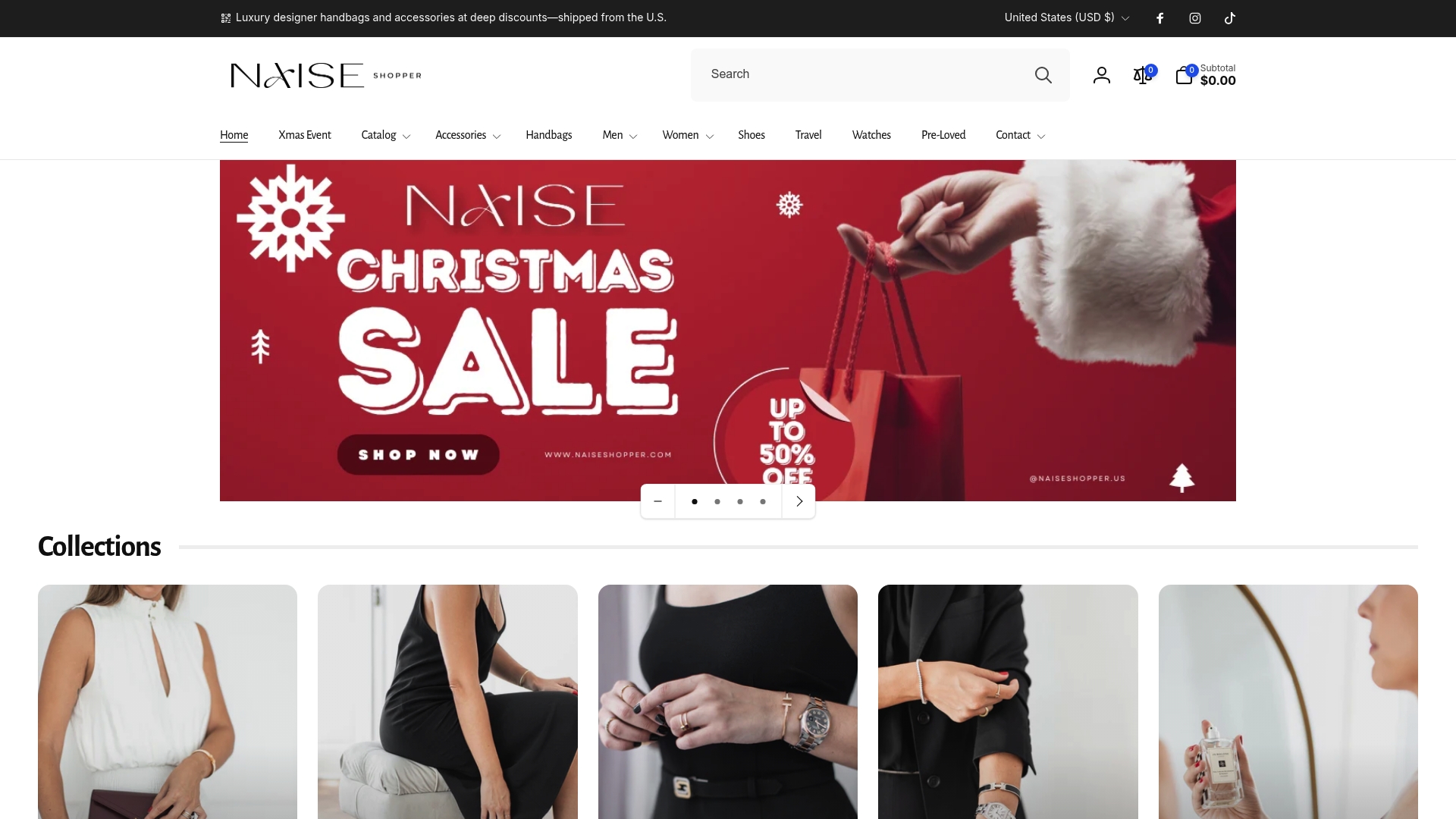
Naiseshopper pairs that localized pricing with flexible payment methods and personal shopper assistance for purchases sourced in the US, plus shipping insurance so the payment side of an international luxury order doesn’t become the risky part. Every piece, from a Prada pair of heels to a Gucci watch, comes with authenticity guaranteed and a discount already applied, so the currency you pay in is one of the few remaining questions.
Visit the Naiseshopper homepage to see localized pricing and payment options for your country before you start shopping.
Where To Verify Currency And Fee Rules Yourself
Card-specific rules vary, so check primary sources directly rather than relying on secondhand summaries. Visa’s DCC guidance and Mastercard’s merchant DCC guide explain disclosure requirements in detail. Experian breaks down typical fee ranges, and your own card’s agreement will list its exact terms.
Sources
- How to avoid foreign transaction fees — Experian
- Dynamic currency conversion — Visa
- DCC guide (merchant version) — Mastercard
- Dynamic currency conversion — Stripe
FAQ
Can I Pay In Foreign Currency Online?
Yes, most international retailers let you pay in the merchant’s local currency, either by default or through a currency selector at checkout. Choosing that option, rather than accepting a home-currency conversion, usually avoids the DCC markup layered on top of your card’s standard fees.
Can You Pay In A Different Currency Than Your Card’s Currency Online?
Yes. Your card issuer will convert the charge using its own exchange rate and apply its foreign transaction fee, typically 1% to 3%, unless your card waives it. This differs from DCC, where the merchant sets the conversion rate instead of the network.
Should You Pay In Local Currency Online?
In most cases, yes, since merchant-set DCC rates tend to run worse than the rate your card network applies. The main exception is a rare case where the home-currency total, fees included, comes out lower after you compare both numbers directly.
Should I Pay In Local Currency Or My Own Currency Online?
Default to local currency and pair it with a no-foreign-transaction-fee card whenever you have one. If you’re unsure which option a specific checkout screen is offering, check both displayed totals before confirming, since the better deal isn’t always obvious from the currency label alone.